
Usage and sessions
Account, usage, and sessions
Check whether your service is active and how you have been online.
Where to look
- Account — summary, service details, and password change when enabled
- Data Usage — traffic charts and totals
- Session — connection history (start/stop, duration, IP)
- 1Sign in to the portal.
- 2Open Account for plan and status.
- 3Open Data Usage for traffic over recent days or months.
- 4Open Session for connection history.
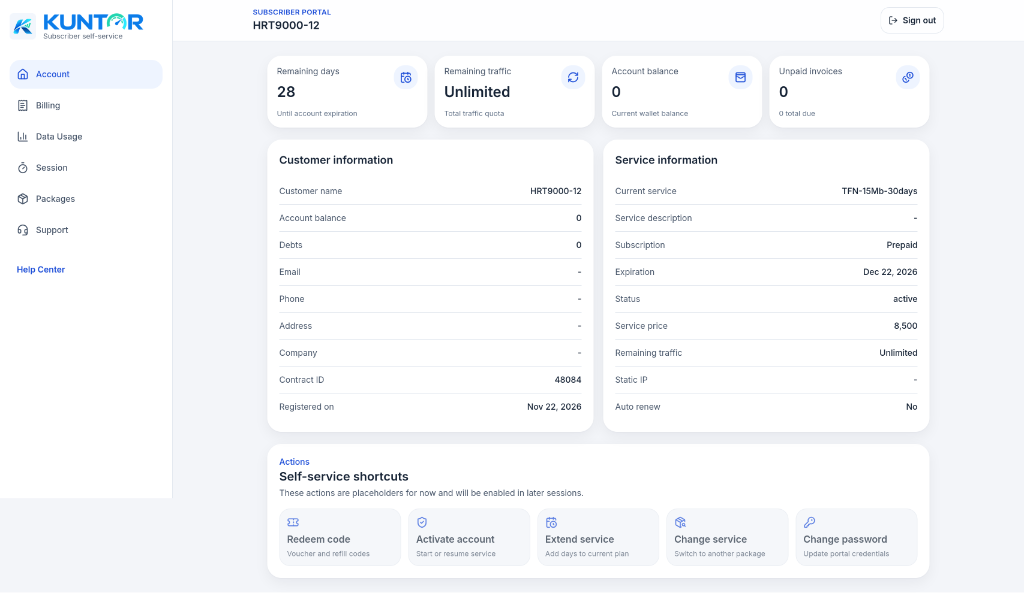
Where in the UI: Portal → Account · Data Usage · Session