Skip to content

Fully hosted AAA. Point your NAS at Kuntor. No RADIUS box to power or patch.How it works

Getting started

Create a profile and first subscriber

Complete the minimum path from empty console to an authenticating subscriber.

Create a service profile

  1. 1Open Network → Profiles.
  2. 2Create a profile with the rate, quota, and expiry rules you sell.
  3. 3Choose IP pool mode if your network requires it.
  4. 4Save the profile.
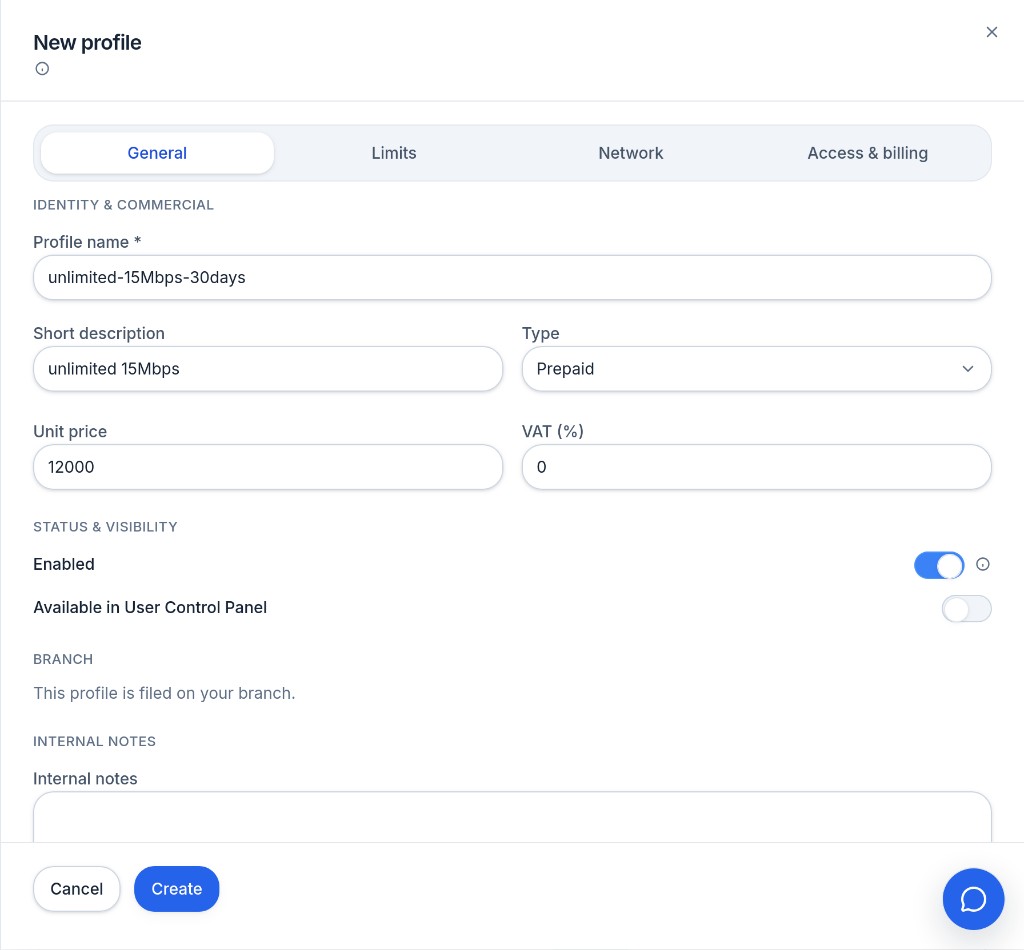
New profile General tab with name, type Prepaid, unit price, and enabled toggle.
Profiles → New profile → General — name the plan and set commercial basics.
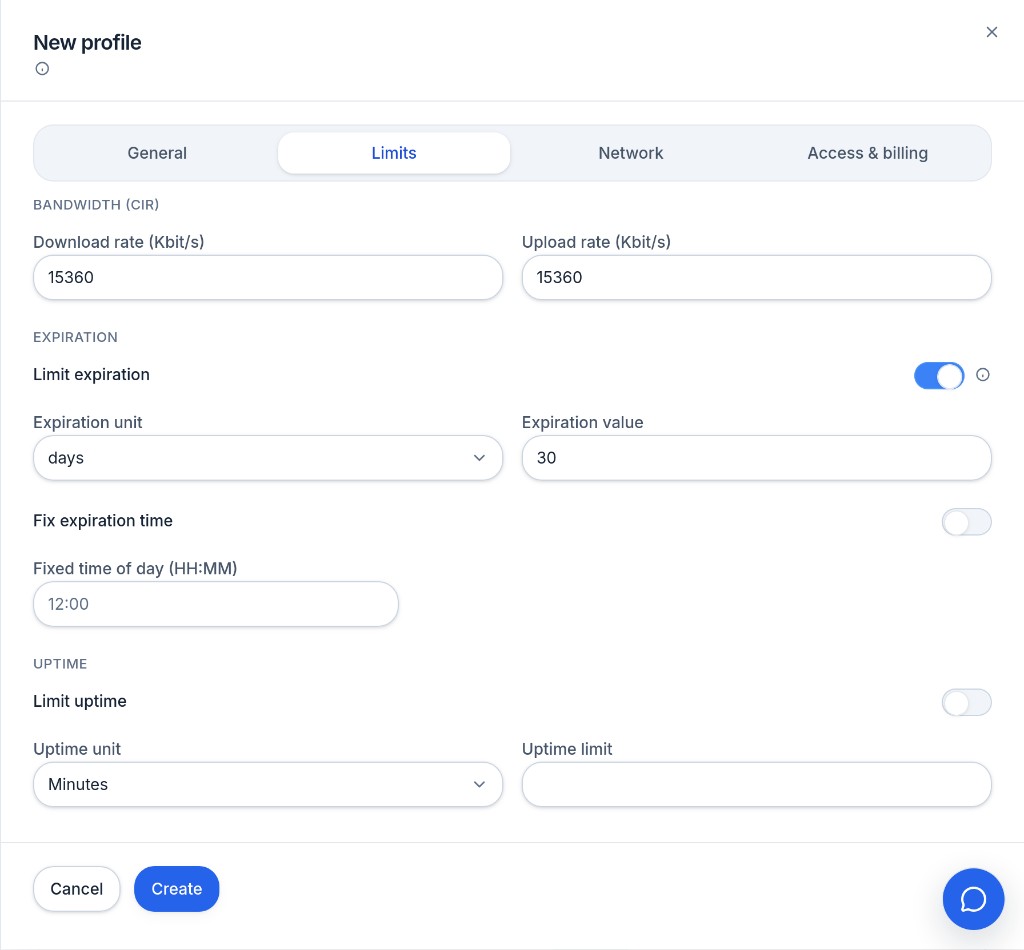
New profile Limits tab with download and upload rate in Kbit/s and expiration in days.
Limits — bandwidth (CIR) and expiration for the plan.

Create a subscriber

  1. 1Open Operations → Subscribers.
  2. 2Create a subscriber with username, password, profile, and site/manager scope as required.
  3. 3Save. Confirm the subscriber appears in the list with the expected status.
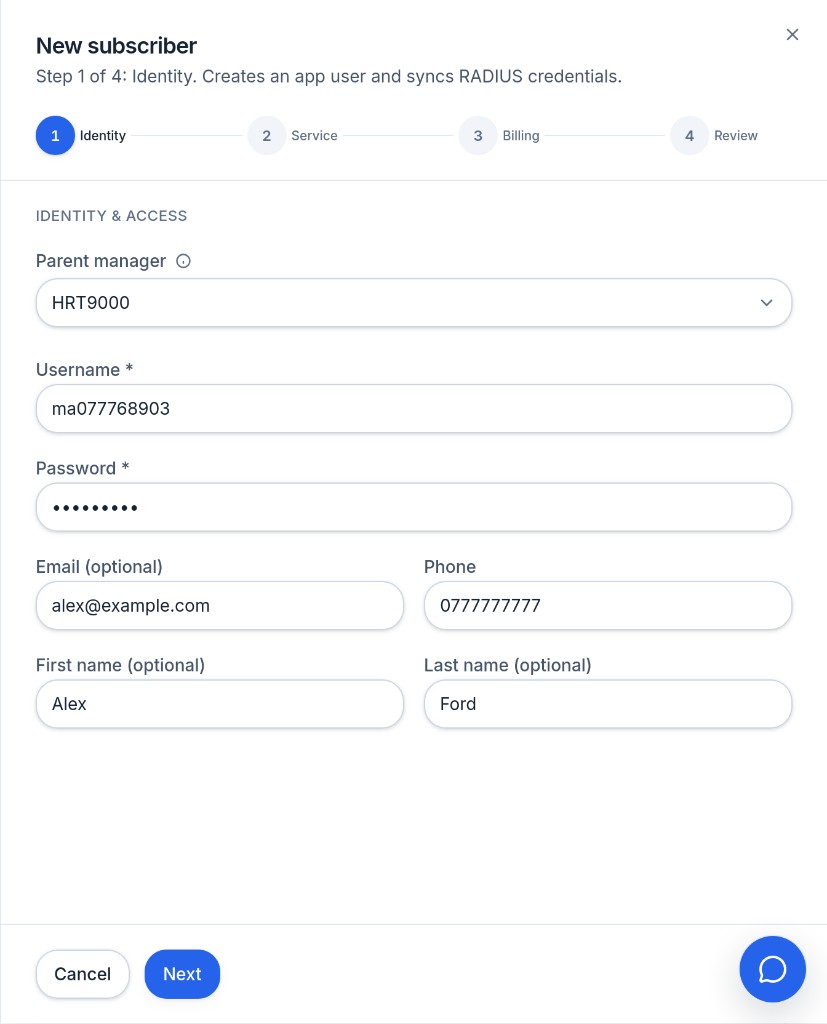
New subscriber wizard step 1 Identity with parent manager, username, and password.
New subscriber — Step 1 Identity (parent manager, username, password).
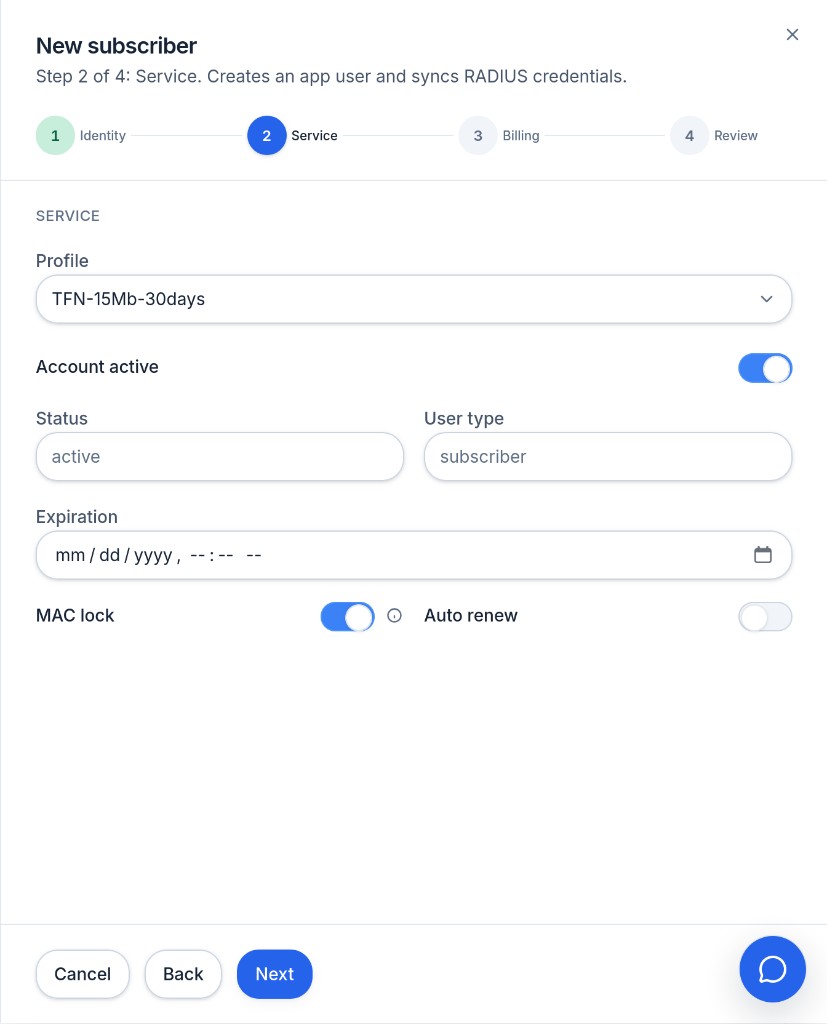
New subscriber wizard step 2 Service with profile, account active, MAC lock, and auto renew.
Step 2 Service — assign the profile and activation options.

Where in the UI: Network → Profiles · Operations → Subscribers