
Profiles
Profiles: rate, quota, and expiry
Configure plans that the console and AAA actually enforce.
Profiles are the plans you assign to subscribers (and that prepaid vouchers can activate). Rate, quota, and expiry live on the profile so AAA and the console stay aligned.
Typical fields
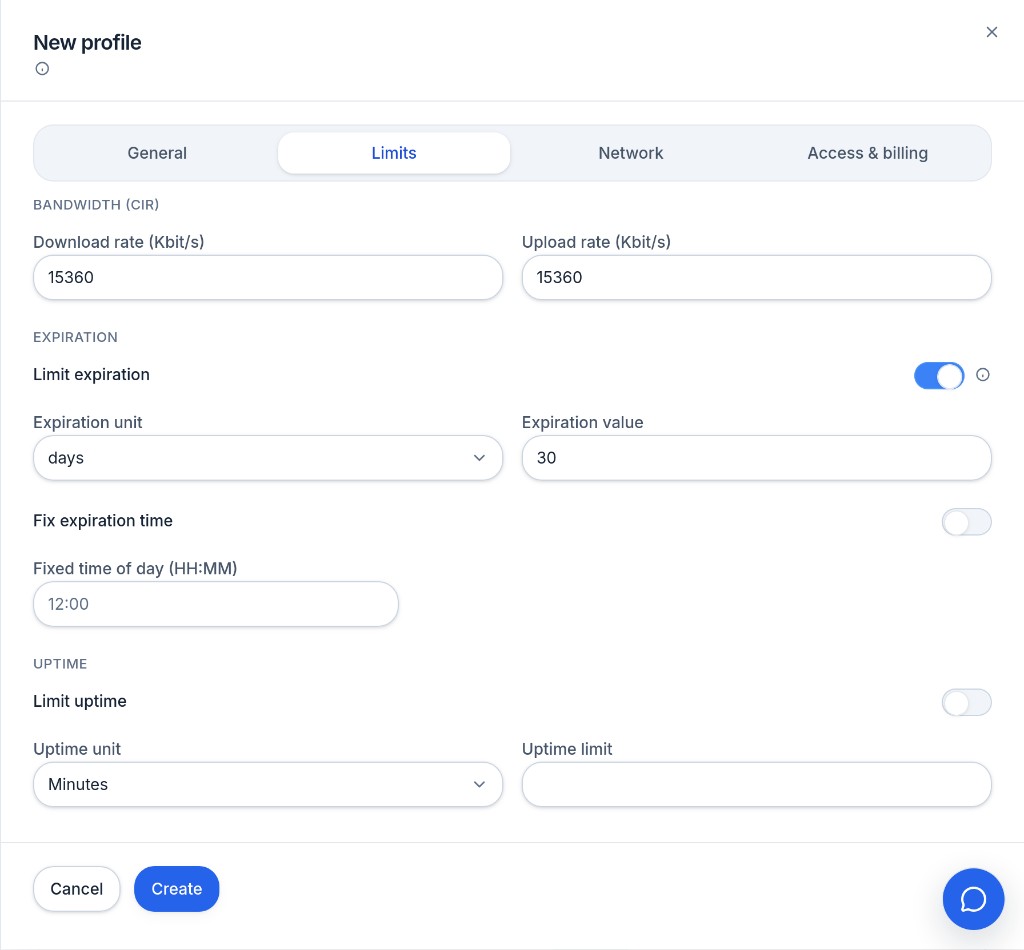
- Rate — upload/download limits applied on the NAS via RADIUS attributes / CoA
- Quota — traffic caps where configured
- Expiry — calendar or session-based end of service
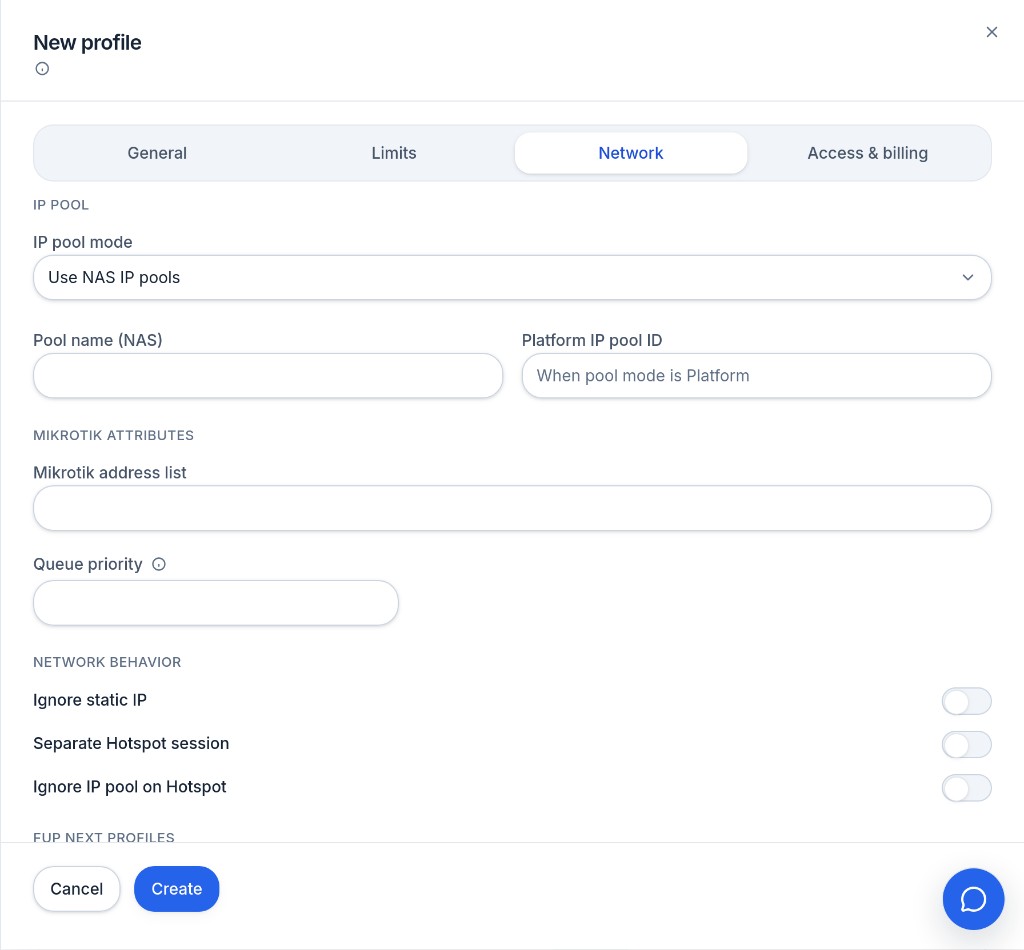
- IP pool mode — when the network assigns addresses from pools
- 1Open Network → Profiles.
- 2Edit or create a profile for the plan you sell.
- 3Assign the profile on new or existing subscribers (or use it from voucher templates).
- 4When policy must change on a live session, CoA carries the update to MikroTik.
Where in the UI: Network → Profiles