
Network
Point a MikroTik NAS at Kuntor
Get a MikroTik router authenticating against Kuntor cloud AAA.
Each NAS that should use Kuntor must exist in the operator console and must send RADIUS authentication and accounting to Kuntor. For disconnects and daily-policy changes, set the CoA port the console will use.
In the operator console
- 1Open Network → NAS Devices.
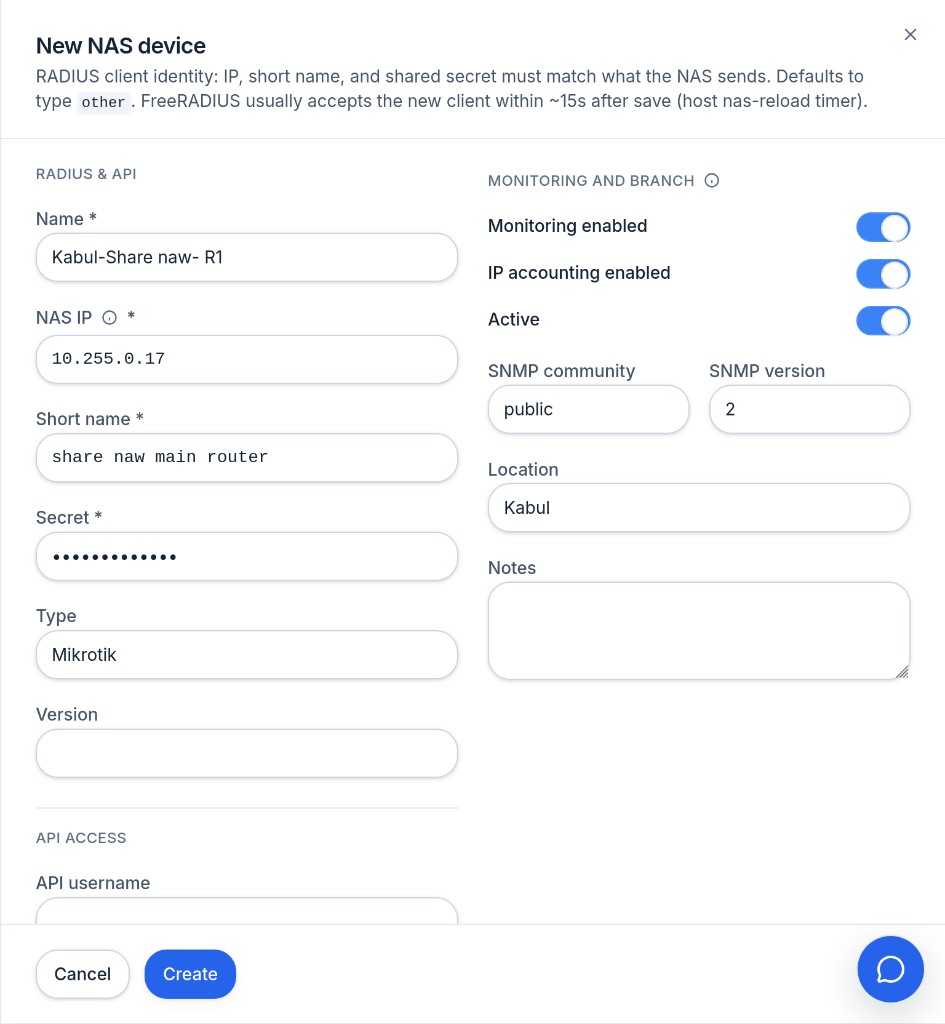
- 2Create or edit the NAS: name, IP or identifier, shared secret, and site.
- 3Set the CoA port used for disconnect and policy changes.
- 4Save. Confirm the NAS appears in inventory for the correct site.
On the MikroTik
- 1Configure the RADIUS client to use the Kuntor AAA endpoints and the same shared secret.
- 2Enable the services you need (for example PPPoE or hotspot) to use that RADIUS server.
- 3Allow CoA/disconnect from Kuntor if you will disconnect sessions or apply daily policy from the console.
Where in the UI: Network → NAS Devices · Auth log